01
Compare the rendered page比较真正渲染出的页面
Type, images, diagrams, scans, transparency, color, and layout are part of the review—not invisible collateral.文字、图片、图表、扫描件、透明度、颜色与版式都属于审阅的一部分,不再成为看不见的遗漏。
Visual PDF review for macOS为 macOS 打造的 PDF 视觉审阅工具
Rendelta compares what two PDFs actually render, pairs their page sequences, and turns visible changes into a calm, reviewable workspace.Rendelta 比较两份 PDF 真正渲染出的内容,匹配页面顺序,并把每一处可见变化整理进清晰、从容的审阅空间。
Native for macOS 14 and later · Coming to the Mac App Store原生支持 macOS 14 及以上版本 · 即将登陆 Mac App Store
The difference that matters真正重要的差异
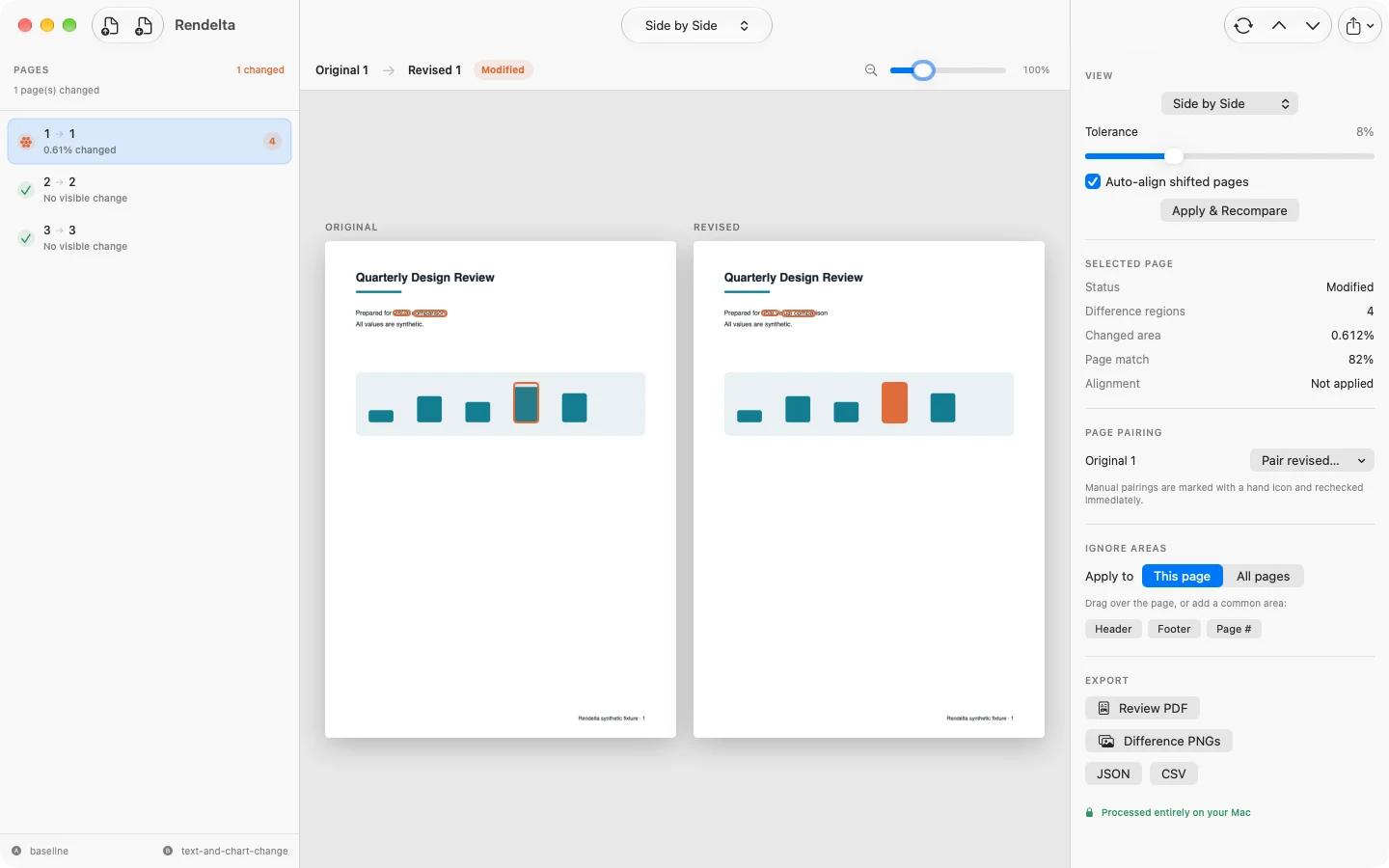
“The text is the same.”“文字内容没有变化。”
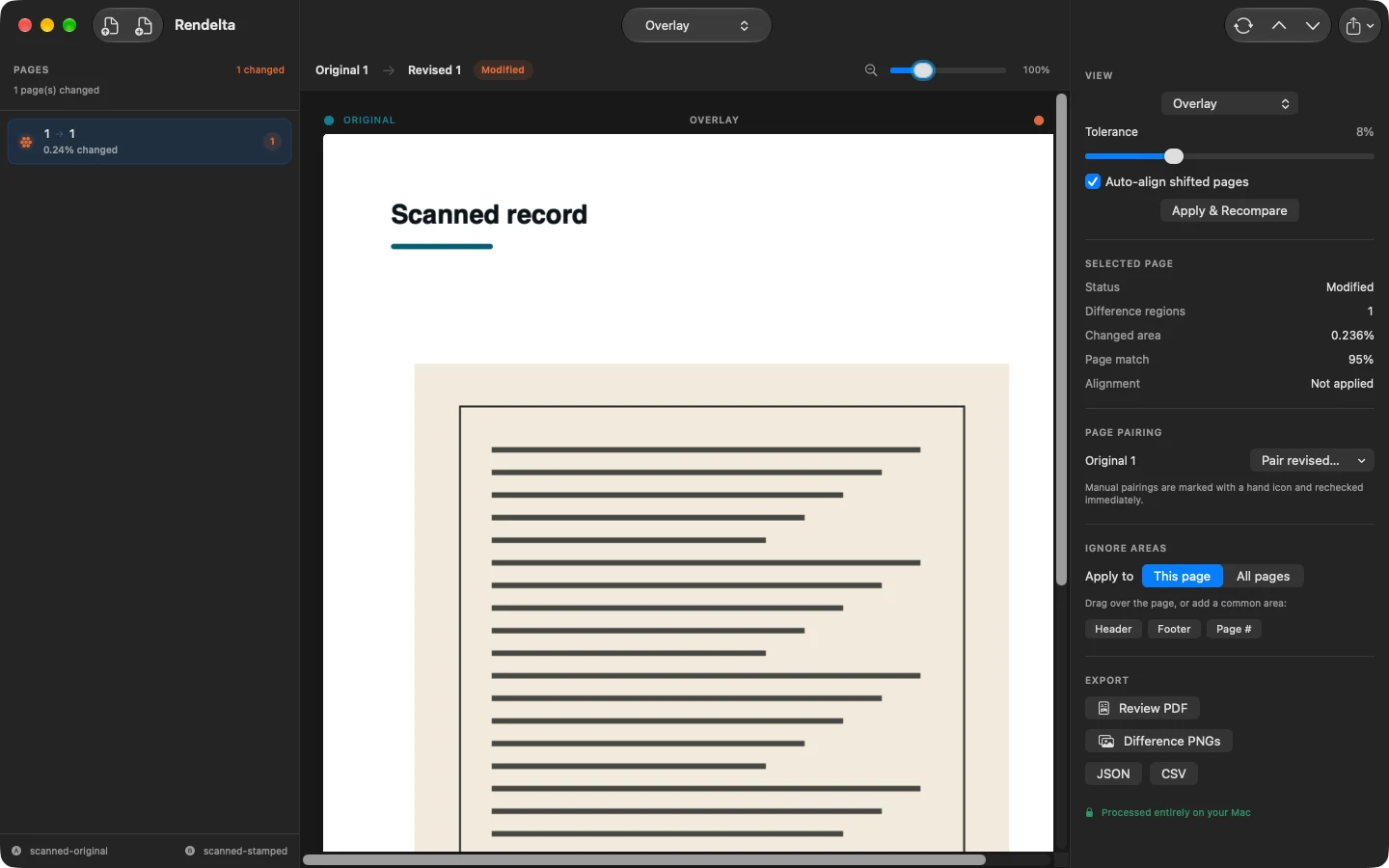
Text comparison can miss the things a person must actually approve: layout, typography, recolored charts, replaced images, scans, and transparency. Rendelta begins with the final rendered page.文本对比可能漏掉人们真正需要确认的内容:版式、字体、改色的图表、替换的图片、扫描页面与透明效果。Rendelta 从最终渲染出的页面开始比较。
A professional review desk专业而安静的审阅台
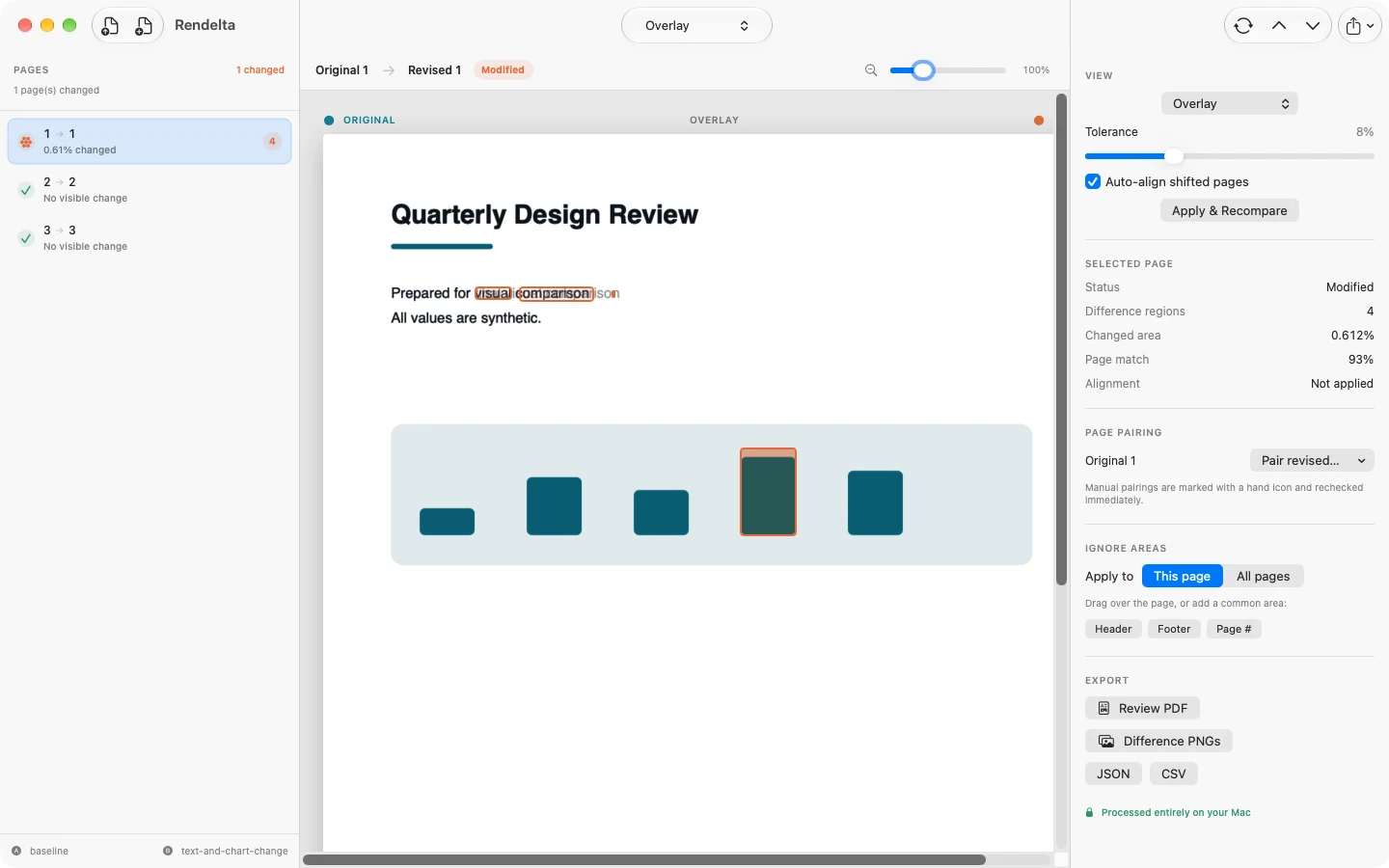
Pages on the left. The rendered comparison in the center. Tolerance, pairing, ignored areas, and export controls on the right. The documents remain the loudest objects in the room.左侧是页面,中间是渲染对比,右侧是容差、配对、忽略区域与导出控制。整个空间里,文档本身始终是最重要的主角。
Made for consequential review为重要审阅而生
Type, images, diagrams, scans, transparency, color, and layout are part of the review—not invisible collateral.文字、图片、图表、扫描件、透明度、颜色与版式都属于审阅的一部分,不再成为看不见的遗漏。
Inserted, deleted, and reordered pages are matched before review so one added sheet does not make every later page look wrong.在审阅前先识别插入、删除与重排的页面,避免新增一页就让后续每一页都变成错误匹配。
Small registration shifts can be corrected, but only with guarded confidence. Unusual transforms remain visible as warnings.轻微的位置偏移可以校正,但必须满足严格的置信条件。异常变换始终会以警告形式保留。
Create an annotated review PDF, difference PNGs, or stable JSON and CSV records for the next person in the workflow.生成带批注的审阅 PDF、差异 PNG,或稳定的 JSON 与 CSV 记录,方便流程中的下一位参与者继续工作。
Five ways to look五种观察方式
Read both complete pages together.同时查看两个完整页面。
Blend original and revised in one view.在同一视图中融合原稿与修订稿。
Sweep across the page to reveal either version.滑过页面,在两个版本之间直观切换。
Alternate pages to make motion expose the change.交替显示页面,让变化通过动态显现。
Quiet the unchanged content and isolate the delta.淡化未变化内容,只留下真正的差异。

Private by architecture隐私写进架构
No account, analytics SDK, ad network, server, document upload service, or AI endpoint. Rendelta asks macOS for the files you choose and writes exports only where you choose.无需账户,没有分析 SDK、广告网络、服务器、文档上传服务或 AI 接口。Rendelta 只向 macOS 请求读取你选择的文件,并且只在你指定的位置写入导出结果。
Try every comparison and export feature for 14 days, then unlock once. No subscription and no upload.免费试用全部比较与导出功能 14 天,之后一次购买即可永久解锁。没有订阅,也不会上传文件。
Coming to the Mac App Store即将登陆 Mac App Store